How to Do SEO for Free? 20+ Free SEO Tools
To do SEO for free, remember that you need at least entry-level knowledge of the subject. You can learn it through various channels

To do SEO for free, remember that you need at least entry-level knowledge of the subject. You can learn it through various channels. For this you can watch YouTube videos or read my article What Is SEO? How Is It Done?
No doubt your first attempts will not be as effective as an SEO specialist’s; the purpose of this post is to help people trying to grow in this field, and readers who run a personal blog or a small site, at the beginning. Although some of the tools I share below have limited features, I have tried to offer enough alternatives that one can cover another’s gaps.
First, I recommend making sure your site is hosted with a hosting company that provides an SSL certificate, and that the page title and description of your important pages are filled in correctly. Some of the tools below will check this anyway. If something is missing, I hope a quick search will help you find the fix.
If you have just started running a site, I recommend working with WordPress; many plugins will help you make your site SEO-friendly very easily. Some of the free SEO tools listed below are such plugins. WordPress also has a community that comes to the rescue of beginners with a huge amount of example content on YouTube and in web searches.
1. Ahrefs Keyword Generator
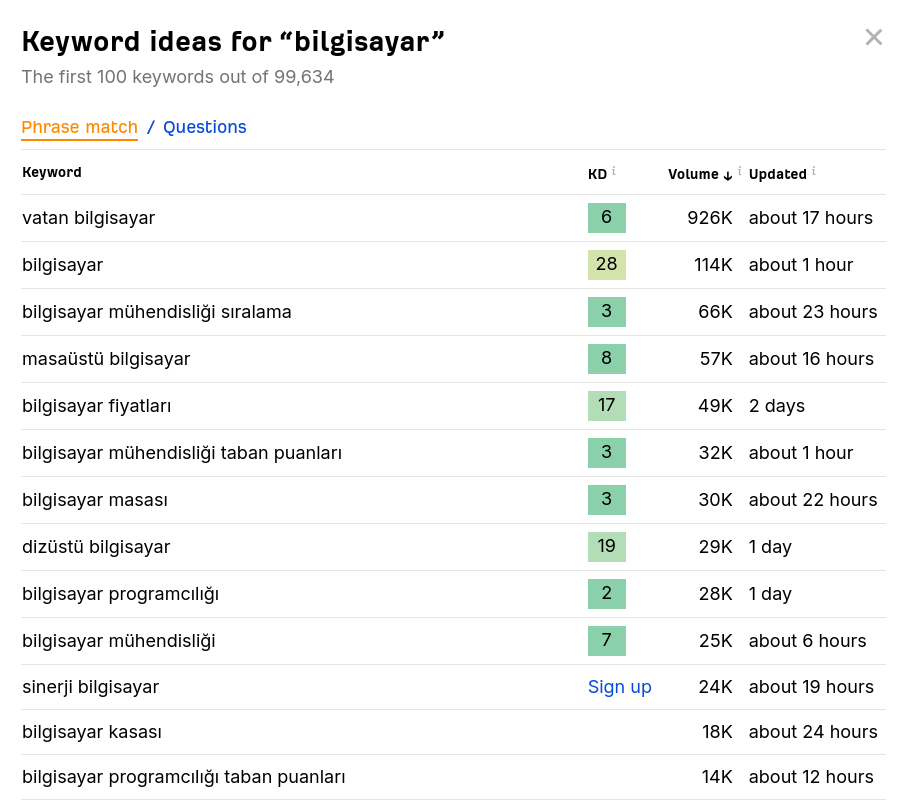
Our first free SEO tool is from Ahrefs. For anyone who wants to develop their SEO strategy and optimise their content, Ahrefs Keyword Generator stands out as a valuable tool. It lets users discover potential keywords around a particular keyword or topic. Backed by Ahrefs’ comprehensive database and important metrics such as keyword competition and search volume, it guides users in building an effective keyword strategy.
Click the link in the heading to open the free SEO tool, type your main keyword and click the “Find keywords” button; Ahrefs will show you related keywords.
2. Moz Domain Authority Checker
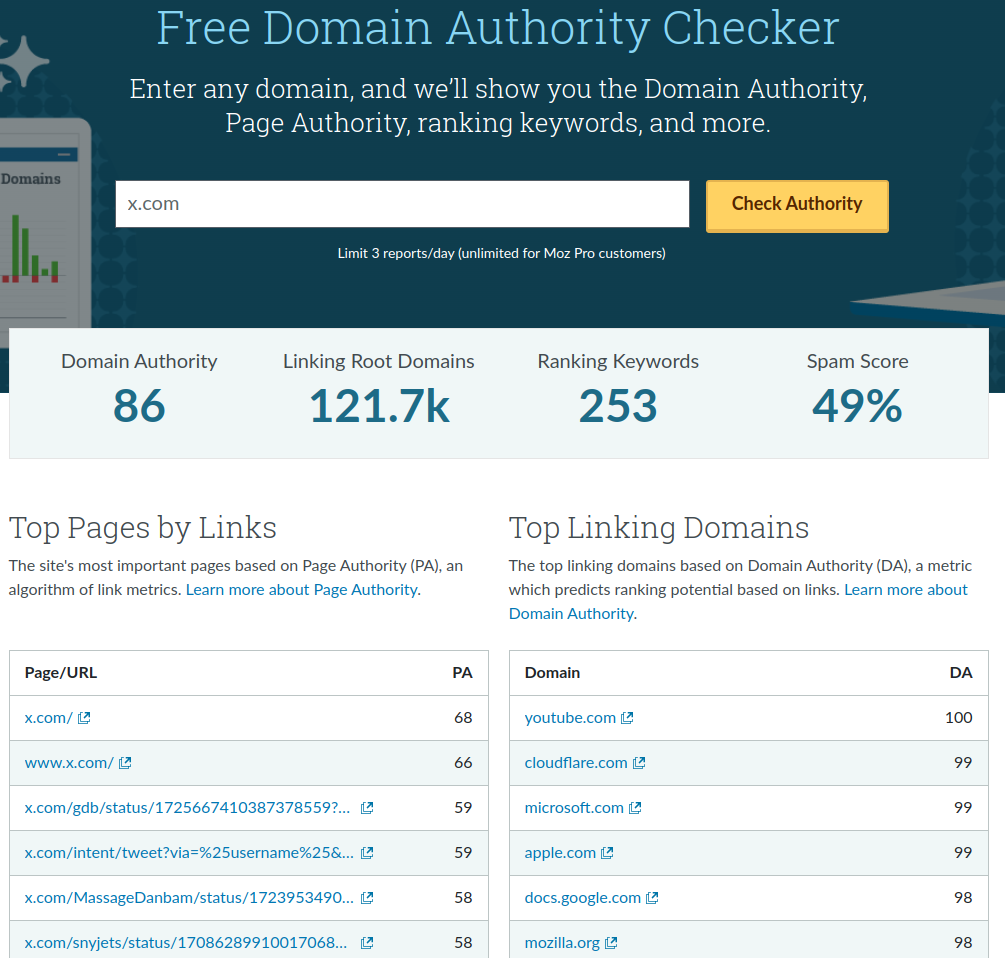
Our second free SEO tool is from Moz, the company that came up with the concept of domain authority. You can read my article to learn more about domain authority here.
Moz Domain Authority Checker is an effective tool that helps webmasters evaluate the authority of their websites. Domain Authority, developed by Moz, stands out as a metric that measures a website’s overall quality and how trustworthy it is in search engines. Moz Domain Authority Checker lets users instantly check a website’s Domain Authority score, helping them understand the site’s potential to influence search engine rankings.
Among free SEO tools, Moz Domain Authority Checker lets website owners and digital marketers evaluate their site’s performance without going over budget. It is an indispensable resource for anyone who wants to track their websites’ authority and compare it with competitors. It also helps identify the strengths and weaknesses of websites so improvement strategies can be developed.
3. Keywordtool.io
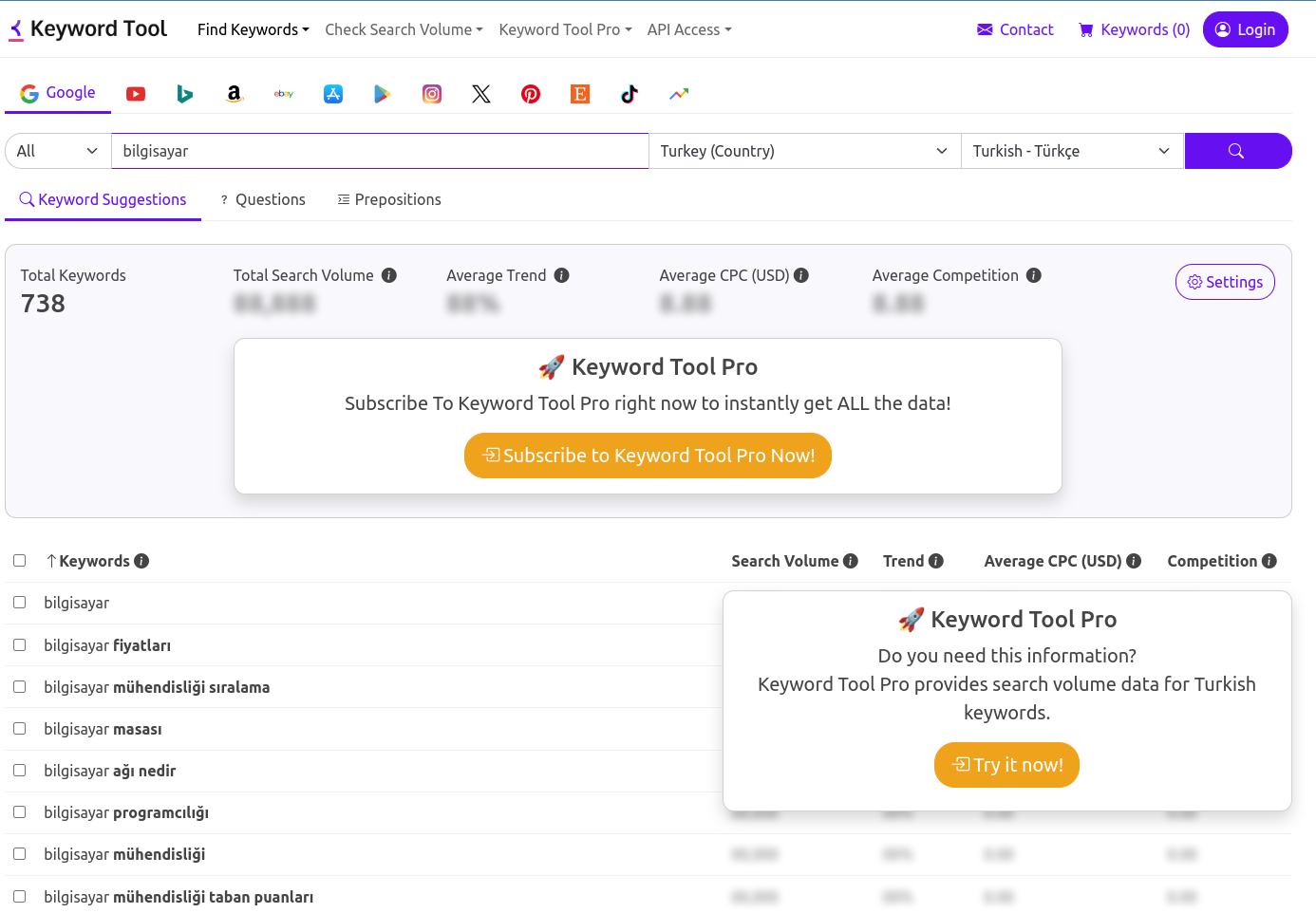
Keywordtool.io is a free SEO tool that makes the keyword research process easier for webmasters and SEO specialists. This user-friendly tool is a great help in identifying keywords, doing competitor analysis and building content strategies that suit the target audience. Keywordtool.io uses a large database to discover keywords on Google, YouTube, Bing, Amazon, eBay and many other platforms.
Yes, as you can see in the image, some parts of the tool are reserved for paying users, but it gives very satisfying results for discovering related keywords. Working with alternative search sources such as YouTube, Bing and Amazon makes this free SEO tool unique.
4. Ubersuggest
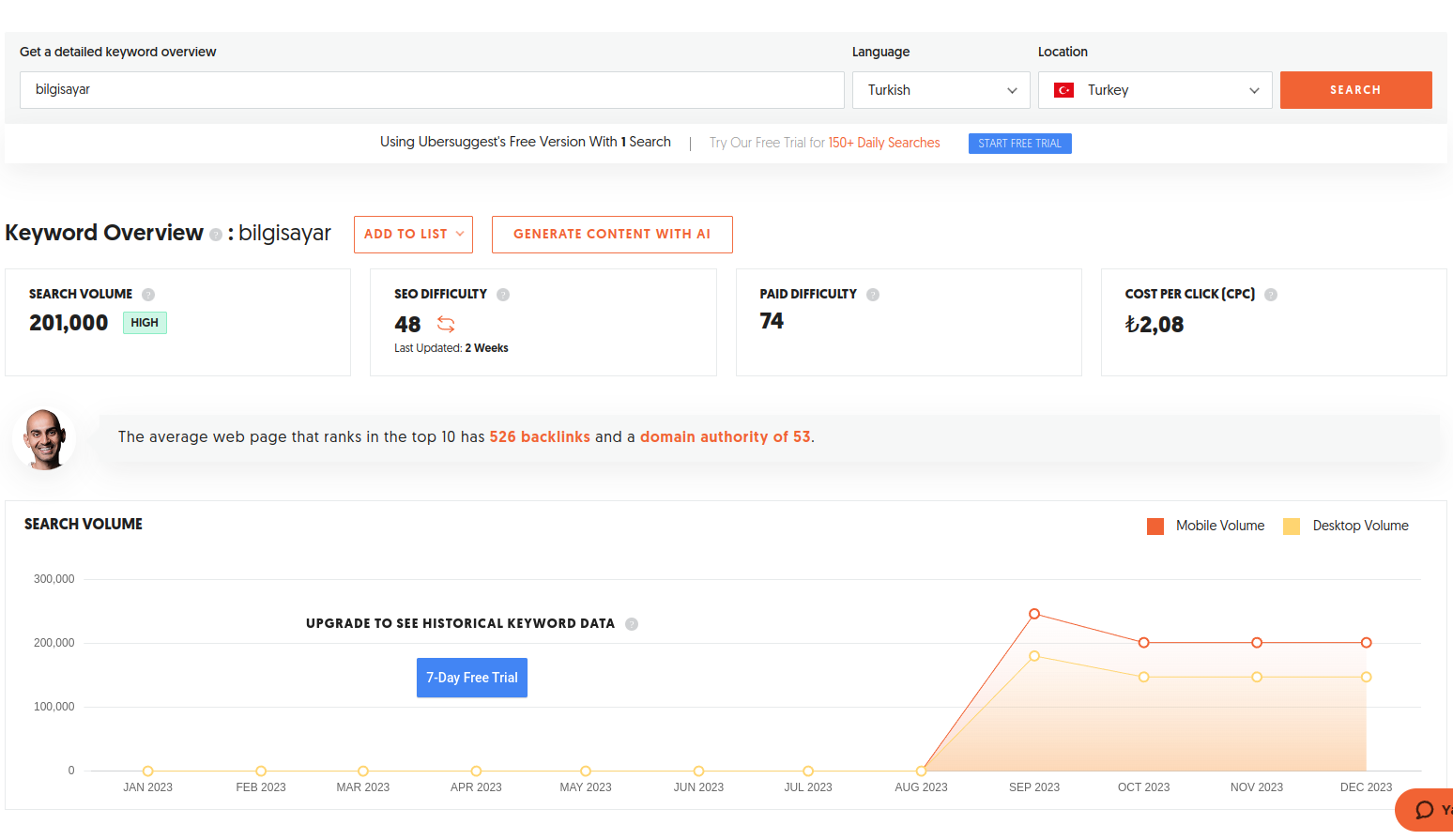
Ubersuggest is a comprehensive free SEO tool that lets digital marketers and webmasters improve their keyword research. Offered by the well-known SEO expert Neil Patel, this tool gives users important data around a particular keyword, such as search volume, difficulty level, CPC (cost per click) and competition analysis. Ubersuggest helps users understand their target audience better and optimise their content strategies based on this data.
Among the free SEO tools on this list, Ubersuggest may well be the best keyword research tool; it is a very good tool both for showing keyword traffic and for its scoring. Its downside is that it allows one search a day, but you can raise this to five by signing up, and you can increase it further by using other browsers and so on. I especially recommend using it for critical searches.
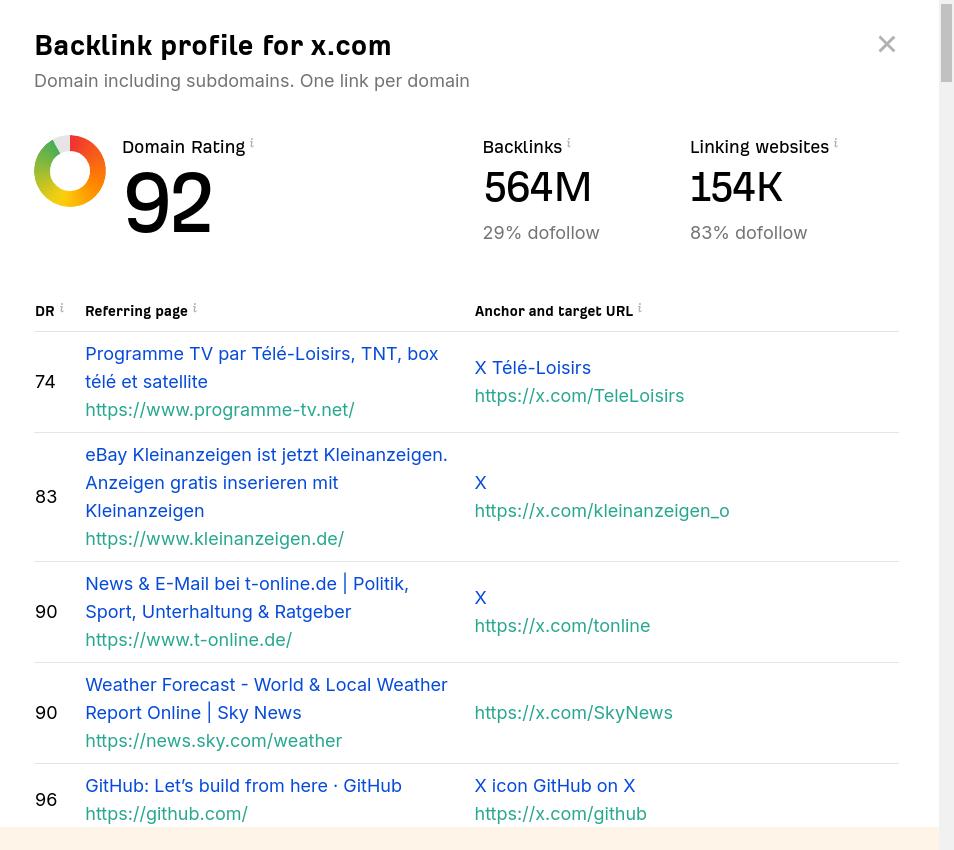
5. Ahrefs Backlink Checker
Ahrefs Backlink Checker is an indispensable tool for webmasters, because analysing the backlink profile is critical in determining a website’s search engine rankings and authority. This free Ahrefs tool lets users examine the backlinks of a particular website or page in detail. By revealing which sources the site gets which kinds of links from, the quality of those links and the site’s overall backlink profile, this analysis helps shape SEO strategies.
Backlinks play a key role for our site, but like all SEO metrics, they are not enough for our site on their own. SEO is a process that needs a holistic approach; focusing on a single area keeps us from real success. For more information about backlinks, you can visit my post What Is a Backlink?
6. Keyword Surfer Browser Extension
This browser extension enables effective keyword research by giving users important metrics for any keyword on the Google search results page, such as monthly search volume, real-time CPC (cost per click) and average conversion rate. Keyword Surfer integrates this data to help users shape their content strategies and reach their target audience more effectively.
Among free SEO tools, Keyword Surfer gives users the chance to go beyond expensive keyword research. The extension provides valuable guidance on optimising the content of web pages, ranking higher in organic search results and doing competitor analysis. In this way, digital marketers and content creators can strengthen their online presence by building an engaging and effective SEO strategy.
7. Woorank Browser Extension
This browser extension lets users instantly evaluate their websites’ overall SEO performance and helps them identify key areas for improvement. Woorank analyses the content, performance, security and mobile-friendliness of web pages in detail, gives users a clear report and makes recommendations so they can optimise their websites’ search engine rankings.
Woorank is an extension that can quickly spot gaps in on-site analysis. Starting with the meta title and description, it will show you what you are missing and what you have right across many detailed points.
8. Ahrefs SEO Browser Toolbar
This is a powerful free tool that lets webmasters do instant SEO analysis in their browsers. The extension lets users quickly view important SEO metrics while browsing any website. Using Ahrefs’ large database, it evaluates how web pages perform in search engines and gives users keyword rankings, backlink counts, organic traffic and much more critical information.
It also shows various metrics on search engine results pages (SERPs), which makes it a little more detailed than the Woorank extension. You can use whichever one suits your own user experience.
9. SEO Minion Browser Extension
SEO Minion is a powerful, free SEO tool. This extension lets users analyse web search results pages (SERPs) quickly and effectively. By letting users easily check important SEO elements such as the questions in search results, SEO Minion greatly simplifies the process of optimising content strategies.
You can learn how to use it from the video on the page where you download the extension, or by searching for the extension on YouTube. In short, it analyses many areas of the search results page, such as newly entered content and videos, and shows the results on the right-hand side. Its most important feature is that it analyses People Also Ask (PAA) and builds a heading tree from the questions users ask. We can get this tree by clicking the “View PAA tree” button. With this tree we can optimise content headings and identify new content targets.
10. Detailed SEO Browser Extension
Among free SEO tools, the Detailed SEO extension is similar to the Ahrefs Toolbar and Woorank extensions but has a slightly simpler interface. It is another free SEO tool that lets us easily monitor on-site metrics and see meta titles and meta descriptions.
11. Google’s Free SEO Tools
Google’s tools are usually the first place those of us who work in SEO get our hands dirty, and almost every webmaster should know them. So what are these tools? The main ones are Google Search Console, Analytics, Lighthouse, PageSpeed, Trends, Ads and My Business.
a. Google Search Console
This platform gives webmasters the chance to observe important data in real time, such as how users reach their websites, which keywords they are found through and on-site performance metrics. Google Search Console evaluates critical factors such as the site’s indexing status, mobile-friendliness and security issues, and gives users the information they need to shape their SEO strategies.
It also shows impressions and click performance in searches; this metric is key for Google recommending you to new users and for your position. You can also track your average position in the rankings and your topic-based positions with this tool. It may need a little setup, but as with other Google tools, many sources on the internet show how to do this setup on different sites.
b. Google PageSpeed Insights
It helps evaluate the speed and performance of websites objectively. This tool lets users measure a web page’s load speed and its mobile and desktop performance. Using Google’s large database, PageSpeed Insights gives web developers detailed recommendations on page optimisation, helping them improve their websites’ user experience.
c. Google Lighthouse
Google Lighthouse is a powerful free SEO tool for web developers and digital marketers, because it lets them evaluate their websites’ performance and user experience objectively. This tool analyses a web page’s speed, accessibility, SEO compliance and overall performance. Using Google Lighthouse, users can target critical factors such as speed, mobile-friendliness and security while optimising their websites, and so have a positive effect on their search engine rankings. Lighthouse can be thought of as a more advanced version of PageSpeed Insights.
d. Google My Business
This is a critical free SEO tool for businesses to strengthen their online presence. It helps businesses appear in Google Maps and search results more effectively and attractively. Using My Business, businesses can update their business information and share important details such as opening hours, contact information and address. This makes it easy for potential customers to reach them and helps them appear higher in local search results. As well as being very useful for SEO, this information plays a truly key role in Google understanding what field you serve and recommending you to the right people.
e. Google Trends
Google Trends is an indispensable free SEO tool. It lets users understand the popularity and trends of a particular keyword or topic on Google. Google Trends shows users the search volume for a given period, and so becomes an important resource for identifying trends in the sector, predicting potentially popular topics in advance and optimising content strategies.
f. Google Ads Keyword Planner
Ads Keyword Planner is one of the best free SEO tools you can use for keyword research, because it helps you optimise your keyword research process. It lets users build an effective keyword strategy by giving them important metrics for specific keywords, such as monthly search volume, competition levels and suggested bids. To use Ads Keyword Planner, you need to create a Google Ads account and explore the system as if you were going to advertise.
12. Microsoft Bing’s Free SEO Tool
It helps you monitor your websites’ performance and indexing status on the Bing search engine. This tool gives users detailed information about their websites’ index status, organic search traffic and the site’s infrastructure, so webmasters can develop effective SEO strategies. Microsoft Bing Webmaster Tools offers powerful analysis and reporting features with a user-friendly interface. Although its usage rate is low in Turkey, it can create some exceptional opportunities, and there is a volume of clicks that anyone serving other countries should not overlook.
13. WordPress Rank Math SEO Plugin
This is a powerful tool developed to improve the SEO performance of WordPress-based sites. This free plugin offers its users a comprehensive SEO experience, because it includes not only keyword optimisation but also content analysis, sitemaps, schema markup and many other features. Rank Math is one of the most powerful free SEO tools for WordPress users. While helping users optimise their websites for search engines, it also offers an easy experience with its user-friendly interface.
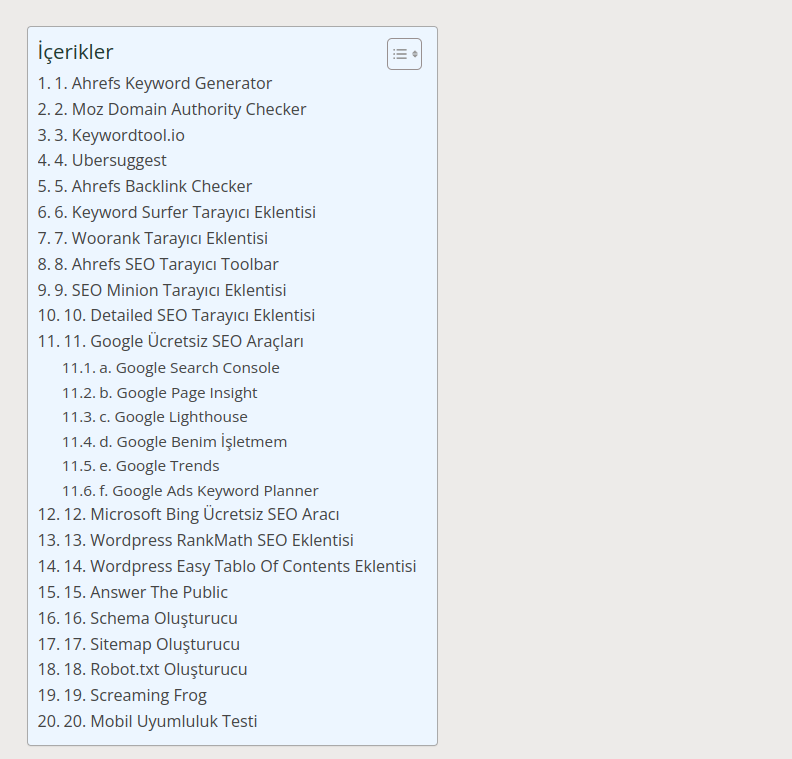
14. WordPress Easy Table of Contents Plugin
Easy Table of Contents is an indispensable free SEO plugin for content-rich websites. This tool, which can be used on WordPress-based sites, offers users an important solution for making their content more user-friendly and accessible. The plugin automatically detects the headings in a page or article and presents them to users as a table of contents. This lets visitors quickly understand the structure of the content, while giving search engines the chance to index the content more meaningfully.

15. Answer The Public
Answer the Public is an effective free SEO tool used to enrich keyword research and optimise content strategies. This platform visually presents users with a wide range of questions and phrases related to a particular keyword or topic, helping them focus better on the real needs of their target audience. Answer the Public helps users rank higher in organic search results by answering these questions more effectively in their content, blog posts or product descriptions.
This tool cannot currently be used in Turkish, but it can be used especially by sites that publish in other languages. Or you can get useful suggestions by typing the English versions of your Turkish keywords.
16. Schema Generator
People who have installed Rank Math on their WordPress sites do not need this free SEO tool. It helps provide search engines with more meaningful, structured information by adding schema markup to websites. This tool lets users create schema markup easily, so rich snippets can be obtained for products, events, businesses and many other topics. Schema Generator increases the visibility of this structured data in search results, so users see more eye-catching and informative snippets in the search results.
17. Sitemap Generator
This is a critical free SEO tool for webmasters, because it lets websites be indexed more effectively by search engines. Its main purpose is to organise the pages, images, videos and other content on your website into a sitemap and submit that sitemap to search engines.
18. Robots.txt Generator
This tool helps websites create the robots.txt file, which gives search engines instructions about their content. Using this tool, users can specify which pages can be crawled, which content they do not want indexed and which areas search engine bots can access. The robots.txt file lets websites manage their search engine optimisation more effectively.
19. Screaming Frog
Screaming Frog is a powerful free SEO tool that lets you analyse websites in depth. This tool lets users examine their websites’ internal structure, URLs, title tags, meta descriptions and other important SEO elements in detail. Screaming Frog helps users quickly detect page errors, redirect status and missing meta information, so they can improve their websites’ performance.
From time to time, some pages on websites can be deleted, intentionally or not, but if the search engine has indexed these pages it may keep visiting them, which creates an unsuitable situation for search engines. At this point, the Screaming Frog program can easily show us whether we have pages returning 404 or other error codes.
Of the free SEO tools I have introduced so far, this is without doubt the most complex and powerful. Free up to a certain number of pages, Screaming Frog is among the indispensable tools of expert-level SEOs. Once you know the techniques, this free SEO tool can lay out even the finer details of search engine results pages in front of you. Those interested in this area can look into the concepts of XPath and web scraping.
20. Mobile-Friendly Test
Mobile-friendliness, meaning that websites are suited to mobile devices, is important for both user experience and search engine rankings. Mobile-friendly test tools, which stand out among free SEO tools, let web developers and SEO specialists understand how their sites look and perform on mobile devices. These tools usually evaluate page speed, mobile-friendly design, touch interactions and other mobile features, and give users recommendations for improving their sites.
To avoid confusion, take care not to keep the browser-extension free SEO tools open at the same time. When they are open together, it will be harder to understand the results on search pages. Over time, by trying them out, you can build a useful combination by using the ones most useful to you when the time comes.
We have reached the end of this post, in which I explained how to do SEO for free and openly shared free SEO tools with you. In the future, I plan to increase posts like this in proportion to your interest in this one. To not miss new posts, you can follow me on LinkedIn and X.